
Download Ultimate Boot CD – Diagnostic Tools, Data Recovery, Antivirus, System Repair
Overview
Ultimate Boot CD is a powerful diagnostic and repair toolkit designed to help users troubleshoot and resolve computer system issues directly from a CD. Unlike traditional software, it operates independently of the operating system, allowing access to critical tools even when the system is unbootable or severely compromised. This makes it an essential utility for both novice users and experienced technicians who need to diagnose hardware failures, recover lost data, or clean malware infections without relying on the installed OS.
The app serves as a comprehensive solution for system recovery, particularly during emergencies such as boot loops, corrupted drives, or security breaches. Its real-world applications include hardware diagnostics, data recovery from failing drives, cloning hard disks, and scanning for malware in a secure, isolated environment. This independence from the host system ensures that threats cannot interfere with the diagnostic process, enhancing reliability and security.
Although the developer did not provide additional technical details, the tool has been widely recognized for its utility in IT support, system maintenance, and data preservation. It plays a significant role in the broader ecosystem of system recovery tools, offering a reliable, portable, and non-invasive method for troubleshooting. For users seeking a dependable, OS-agnostic solution, Ultimate Boot CD stands out as a valuable resource in both personal and professional computing environments.
Key Features & Functionality
- Boot from CD: The tool runs directly from a CD without installation, enabling users to access diagnostic and repair utilities even when the operating system is inaccessible. This feature is ideal for troubleshooting systems that fail to boot.
- Comprehensive Diagnostic Tools: Includes a suite of applications to test hardware components such as memory, CPU, storage devices, and peripherals. These tools help identify failing components before they cause further damage.
- Data Recovery and Cloning: Offers utilities to recover lost or deleted files from damaged or corrupted drives. It also supports hard drive cloning, allowing users to migrate data to new storage devices seamlessly.
- Antivirus and Security Utilities: Equipped with multiple antivirus scanners to detect and remove malware, especially useful when the system is infected and cannot run standard security software.
- DOS and Linux Support: Integrates both DOS and Linux-based boot environments, providing access to a wide range of command-line and graphical tools. This flexibility enhances compatibility with diverse hardware and repair scenarios.
- Networking and Internet Browsing: Allows users to connect to networks and access the internet during repairs, enabling downloads of drivers, updates, or additional diagnostic tools.
For example, a user with a non-booting laptop can use Ultimate Boot CD to scan the hard drive for errors, recover important documents, and then clone the drive to a new one. Similarly, an IT technician can use the tool to test RAM modules or check disk health without altering the existing system.
Interface, UX & Performance
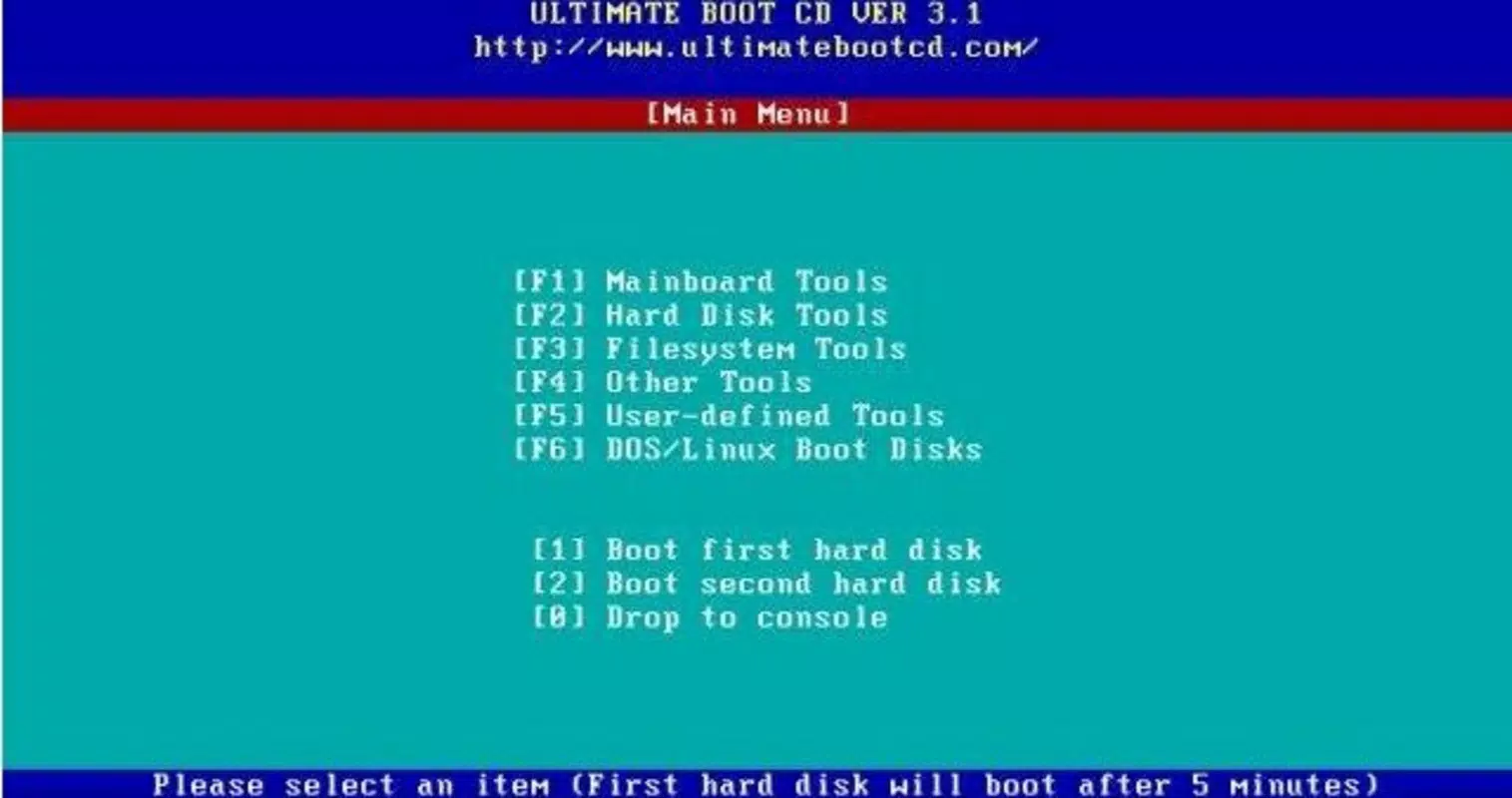
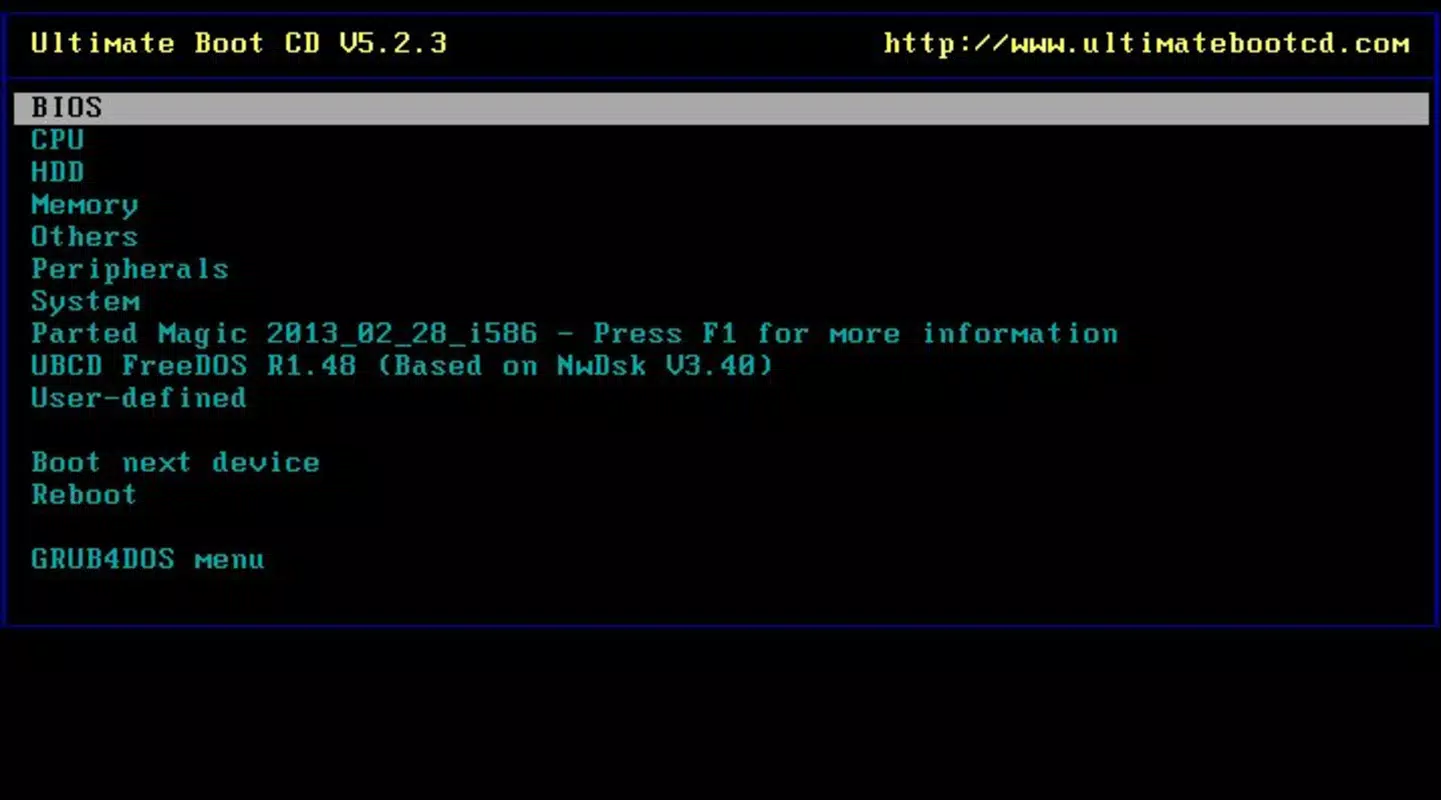
Since Ultimate Boot CD runs from a CD, the interface is primarily text-based and command-line oriented, with minimal graphical elements. This design prioritizes functionality and efficiency over visual appeal, catering to users familiar with terminal-based environments. Navigation is straightforward, relying on keyboard input and menu selections to access different tools.
The user experience is optimized for technical users who understand system diagnostics and repair workflows. While the interface may appear outdated to casual users, it ensures stable performance and minimal resource usage. The tool loads quickly and remains responsive during diagnostic tasks, even on older hardware.
Although the developer did not list formal performance metrics, the tool is known for its reliability and low system overhead. It operates efficiently across various hardware configurations, including older systems with limited RAM and processing power. Responsiveness is maintained during long-running tasks such as disk scans or data recovery operations.
Stability is a key strength—since the tool runs in a standalone environment, it is not affected by malware or system corruption. This isolation ensures consistent performance and reduces the risk of crashes during critical operations.
Platform Compatibility & Technical Requirements
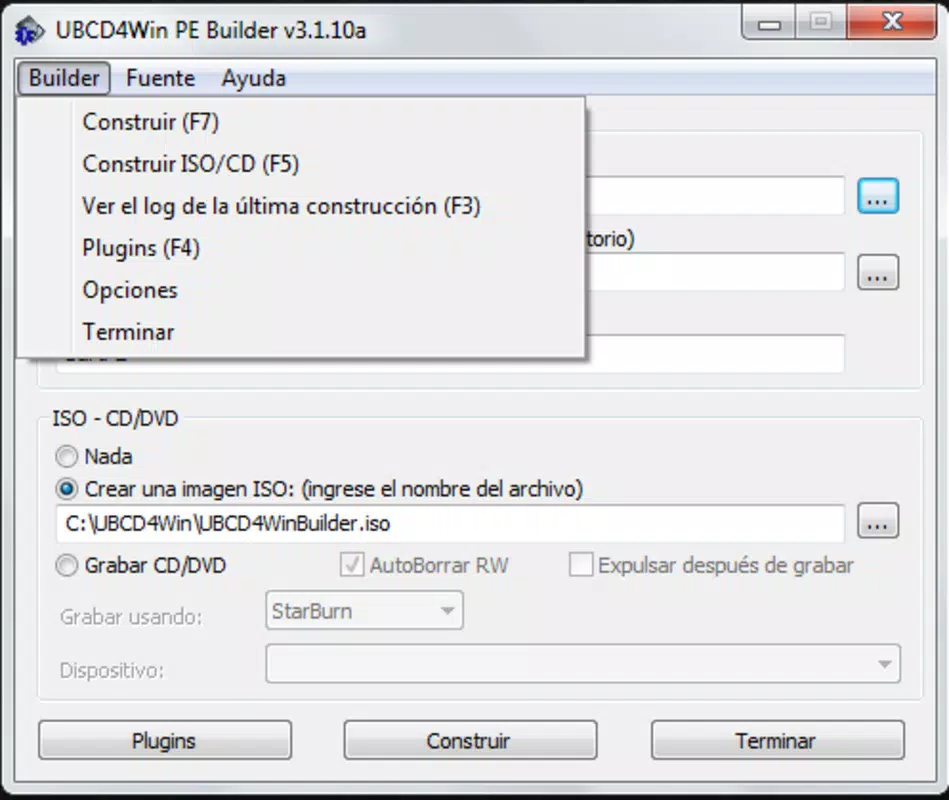
Ultimate Boot CD is designed to run on standard PC hardware with CD/DVD drive support. It is compatible with both Windows and non-Windows systems, as it operates independently of the host operating system. The tool requires a CD or DVD media to be burned with the ISO image provided by the developer.
The file size of the ISO image is not specified in the available information. However, typical bootable diagnostic CDs of this nature range from 400 MB to 1 GB, depending on included tools. The developer did not specify minimum OS requirements, but the tool is intended for use on legacy and modern x86-based PCs.
Compatibility with specific hardware models or virtual machines was not disclosed. Users are advised to verify their system’s ability to boot from CD/DVD before use. No mobile or tablet platform support is available, as the tool is strictly designed for desktop and laptop computers.
Pros and Cons
Pros
- Runs independently of the host operating system, ensuring safe diagnostics during system failures.
- Offers a wide range of diagnostic, recovery, and security tools in a single package.
- Supports both DOS and Linux environments for enhanced flexibility.
- Enables data recovery and hard drive cloning without requiring OS installation.
- Provides network connectivity during repairs, allowing access to online resources.
Cons
- Requires a physical CD/DVD drive and media, which may not be available on newer laptops.
- Interface is text-based and may be challenging for non-technical users.
- No mobile or cloud-based version available for modern devices.
- Updates are not automatically managed; users must manually download and burn new ISO versions.
- Not suitable for systems without bootable optical drives.
FAQ
Is Ultimate Boot CD safe to use?
Yes, Ultimate Boot CD is safe to use. It runs in an isolated environment, separate from the host operating system, which prevents interference with existing data or system files. It is commonly used by IT professionals for secure diagnostics and repairs.
Can I use Ultimate Boot CD on a laptop without a CD drive?
Not directly. The tool requires a CD/DVD drive to boot. However, users with USB drives can create a bootable USB version using third-party tools, though this is not officially supported by the developer.
Does Ultimate Boot CD work on Windows 11?
Yes, Ultimate Boot CD is compatible with Windows 11 systems, as it operates independently of the OS. It can be used to troubleshoot and repair a Windows 11 machine that fails to boot.
How often is Ultimate Boot CD updated?
The developer did not specify update frequency. Users are encouraged to check the official website periodically for new ISO releases to ensure access to the latest tools and security patches.
Can I download Ultimate Boot CD for free?
Yes, the tool is available for free. Users can download the ISO image from the official website and burn it to a CD or USB drive for use. No purchase or registration is required.
Final Thoughts
Ultimate Boot CD remains a vital tool in the digital maintenance toolkit, especially for users facing system failures, data loss, or security threats. Its ability to operate outside the host OS makes it a reliable choice for deep diagnostics and recovery tasks. While its interface may not appeal to beginners, its comprehensive feature set and proven track record make it indispensable for IT professionals and advanced users.
For anyone who needs a dependable, portable, and secure solution for system repair, Ultimate Boot CD delivers unmatched value. Whether you're recovering critical files, testing hardware, or cleaning malware, this tool provides a robust foundation for troubleshooting.
Download Ultimate Boot CD now


